DevOps
Docker Multi-Stage Builds: How I Cut My Image Size by 90%
Most Docker images are bloated because they ship the build toolchain alongside the app. Multi-stage builds fix that with one simple pattern.
Stashing, switching branches, rebuilding — the constant friction of context switching in Git has a cleaner solution most developers never try.
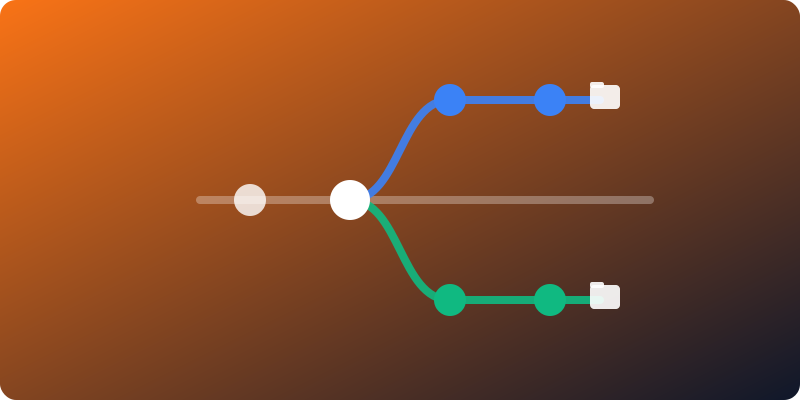
Every developer knows the drill: you’re deep in a feature branch when a bug report lands that needs a quick fix on main. So you stash your changes, switch branches, wait for your editor to re-index, fix the bug, switch back, pop the stash, and hope nothing got corrupted.
Git worktrees eliminate that entire cycle.
A worktree is a separate working directory linked to the same repository. Each worktree checks out a different branch, but they all share the same .git history, remotes, and configuration. No cloning, no duplicate objects.
# Create a worktree for a hotfix
git worktree add ../woolwand-hotfix main

# Now you have two directories:
# ./woolwand          → your feature branch (untouched)
# ./woolwand-hotfix   → main branch, ready to work on
Open each directory in a separate editor window. No stashing. No branch switching. No waiting for rebuilds. Your feature branch stays exactly where you left it.
The problem with git stash && git checkout isn’t the two seconds those commands take. It’s everything that follows:
Worktrees sidestep all of it. Fix the bug in a separate directory, push it, switch back to your original window. Everything is still warm.
My typical setup:
main branch, always clean — used for quick fixes and checking out PRs for review# List active worktrees
git worktree list
# Remove one when you're done
git worktree remove ../woolwand-hotfix
# Prune stale worktree references (if you deleted the directory manually)
git worktree prune
A useful pattern: alias worktree creation so it always puts worktrees in a predictable sibling directory. That keeps your filesystem tidy and makes cleanup easy.
.git file (not a directory) that points to the main repo. Tools that assume .git is always a folder may break, though most modern editors and build tools handle it fine.If you rarely switch branches mid-task, worktrees won’t change much. But if you regularly juggle feature work, hotfixes, and code reviews — and you’re tired of the stash-switch-rebuild tax — try them. It’s one of those Git features that once adopted, you wonder how you worked without.
Most Docker images are bloated because they ship the build toolchain alongside the app. Multi-stage builds fix that with one simple pattern.

Enabling strict mode on an existing TypeScript codebase feels brutal at first. But the bugs it catches are real, and the migration is more manageable than it looks.
Most CI pipelines start fast and slowly become 20-minute bottlenecks. Here's a setup that stays fast as the project grows.