DevOps
Docker Multi-Stage Builds: How I Cut My Image Size by 90%
Most Docker images are bloated because they ship the build toolchain alongside the app. Multi-stage builds fix that with one simple pattern.
Most CI pipelines start fast and slowly become 20-minute bottlenecks. Here's a setup that stays fast as the project grows.
The default GitHub Actions templates work fine on day one. But a basic Node.js CI workflow that takes 2 minutes on a fresh project can balloon to 15–20 minutes once you add linting, testing, type checking, and a build step — all running one after another.
Here’s the structure I use to keep CI fast as the project grows.
Instead of one job running each step serially, split your pipeline into parallel jobs that only depend on each other when they actually need to.
name: CI

on:
  push:
    branches: [main]
  pull_request:
    branches: [main]

jobs:
  install:
    runs-on: ubuntu-latest
    steps:
      - uses: actions/checkout@v4
      - uses: actions/setup-node@v4
        with:
          node-version: 20
          cache: 'npm'
      - run: npm ci
      - uses: actions/cache/save@v4
        with:
          path: node_modules
          key: modules-${{ hashFiles('package-lock.json') }}

  lint:
    needs: install
    runs-on: ubuntu-latest
    steps:
      - uses: actions/checkout@v4
      - uses: actions/cache/restore@v4
        with:
          path: node_modules
          key: modules-${{ hashFiles('package-lock.json') }}
      - run: npm run lint

  typecheck:
    needs: install
    runs-on: ubuntu-latest
    steps:
      - uses: actions/checkout@v4
      - uses: actions/cache/restore@v4
        with:
          path: node_modules
          key: modules-${{ hashFiles('package-lock.json') }}
      - run: npm run typecheck

  test:
    needs: install
    runs-on: ubuntu-latest
    steps:
      - uses: actions/checkout@v4
      - uses: actions/cache/restore@v4
        with:
          path: node_modules
          key: modules-${{ hashFiles('package-lock.json') }}
      - run: npm test

  build:
    needs: [lint, typecheck, test]
    runs-on: ubuntu-latest
    steps:
      - uses: actions/checkout@v4
      - uses: actions/cache/restore@v4
        with:
          path: node_modules
          key: modules-${{ hashFiles('package-lock.json') }}
      - run: npm run build
Lint, typecheck, and test all run simultaneously. The build only runs if all three pass. Wall time drops from the sum of all steps to roughly the duration of the slowest parallel job — typically cutting total CI time by 60% or more.
npm ci is often the single slowest step in any Node.js pipeline. Caching node_modules keyed to package-lock.json means subsequent runs skip the install entirely when dependencies haven’t changed.
This alone saves 30–90 seconds per run. Across a team pushing dozens of PRs a day, that compounds fast.
One subtle detail: use actions/cache/save and actions/cache/restore separately (not the combined actions/cache) so the install job writes the cache and parallel jobs only read it. This avoids race conditions and unnecessary re-saves.
Use path filters to skip jobs that can’t be affected by the change:
on:
  push:
    paths:
      - 'src/**'
      - 'tests/**'
      - 'package*.json'
      - '.github/workflows/**'
Documentation changes, README updates, and config tweaks don’t need a full test suite. If your repo has multiple apps or packages, you can go further with path-based matrix strategies that only test what changed.
Add concurrency to cancel redundant runs when you push again to the same PR:
concurrency:
  group: ci-${{ github.ref }}
  cancel-in-progress: true
This prevents queueing up stale runs when you’re iterating quickly on a branch. Combined with parallelization, it means you almost always see results within a few minutes of your latest push.
With this structure, CI runs take about 3 minutes on a project with full linting, type checking, 400+ tests, and a production build. That’s fast enough to wait for — which means bugs get caught before merge, not after.
Most Docker images are bloated because they ship the build toolchain alongside the app. Multi-stage builds fix that with one simple pattern.

Enabling strict mode on an existing TypeScript codebase feels brutal at first. But the bugs it catches are real, and the migration is more manageable than it looks.
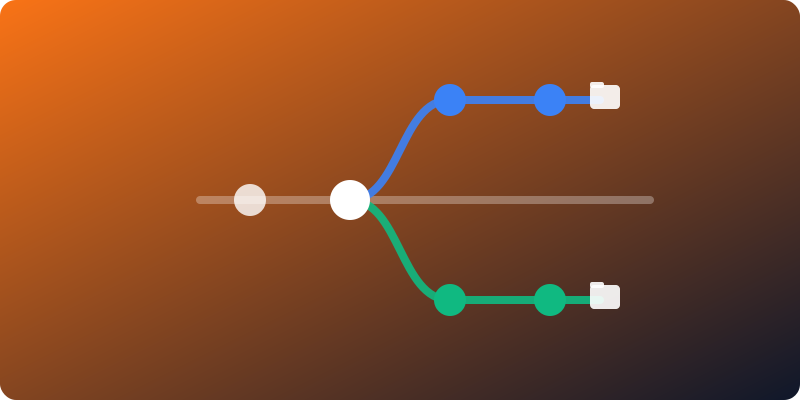
Stashing, switching branches, rebuilding — the constant friction of context switching in Git has a cleaner solution most developers never try.